
The Duty Calendar tracks current and future availability. Events organize drills, meetings, fundraisers, community activities, and other department work.
Use Duty Calendar views
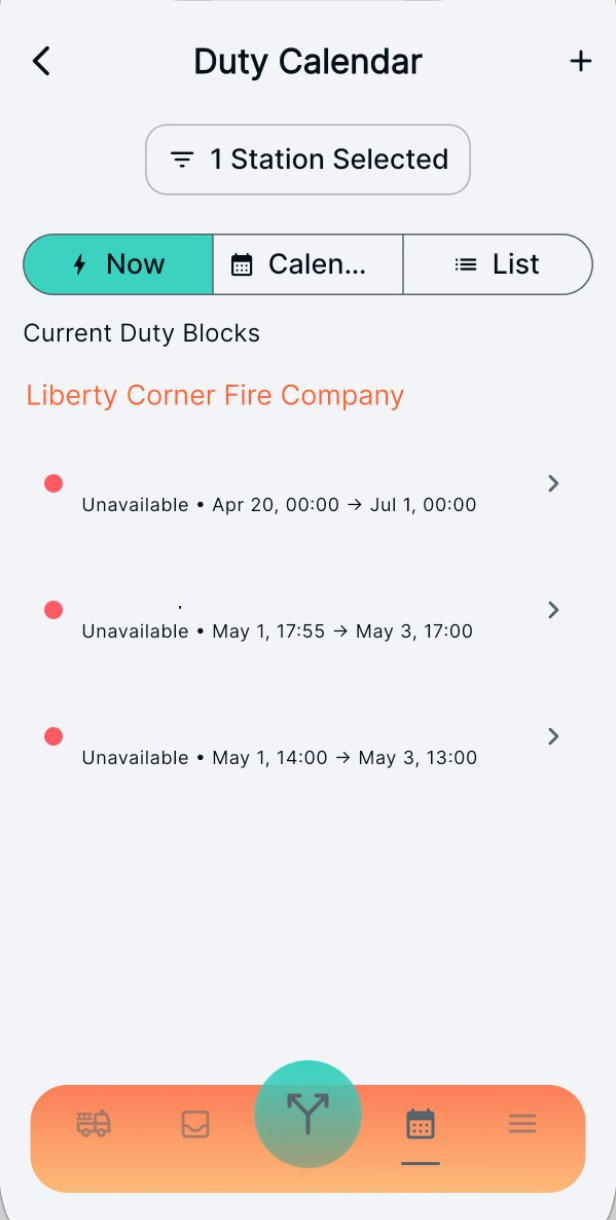
Now
See duty blocks that are active now. Open an entry to view details or use available edit controls.
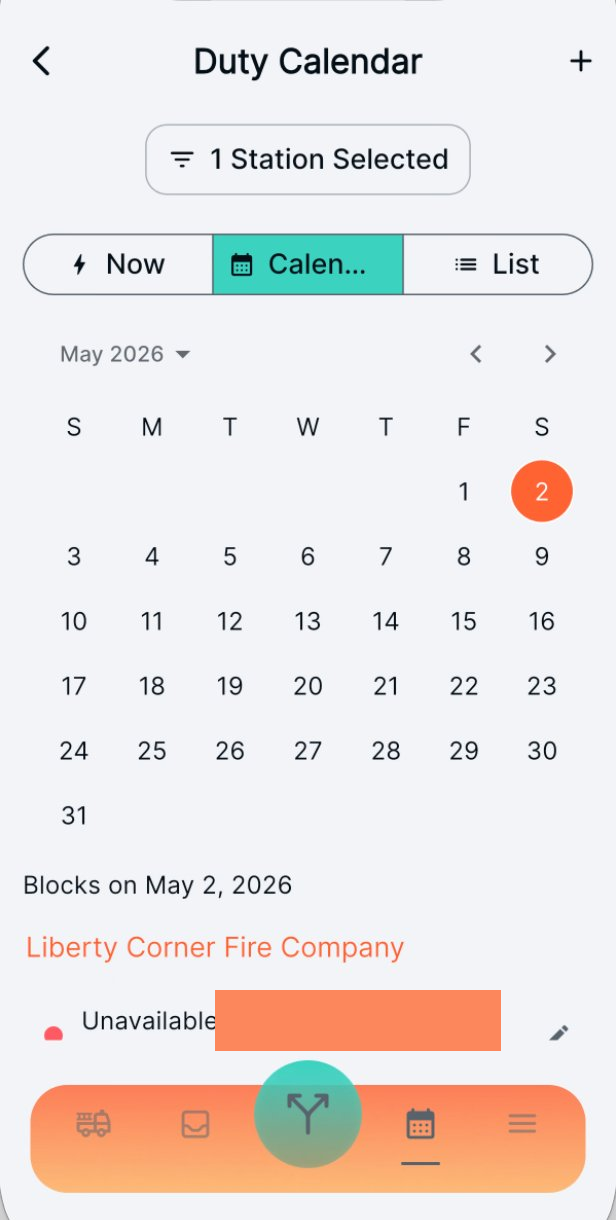
Calendar
Select a day in the month grid to review its duty blocks. Use the navigation controls to move between months.
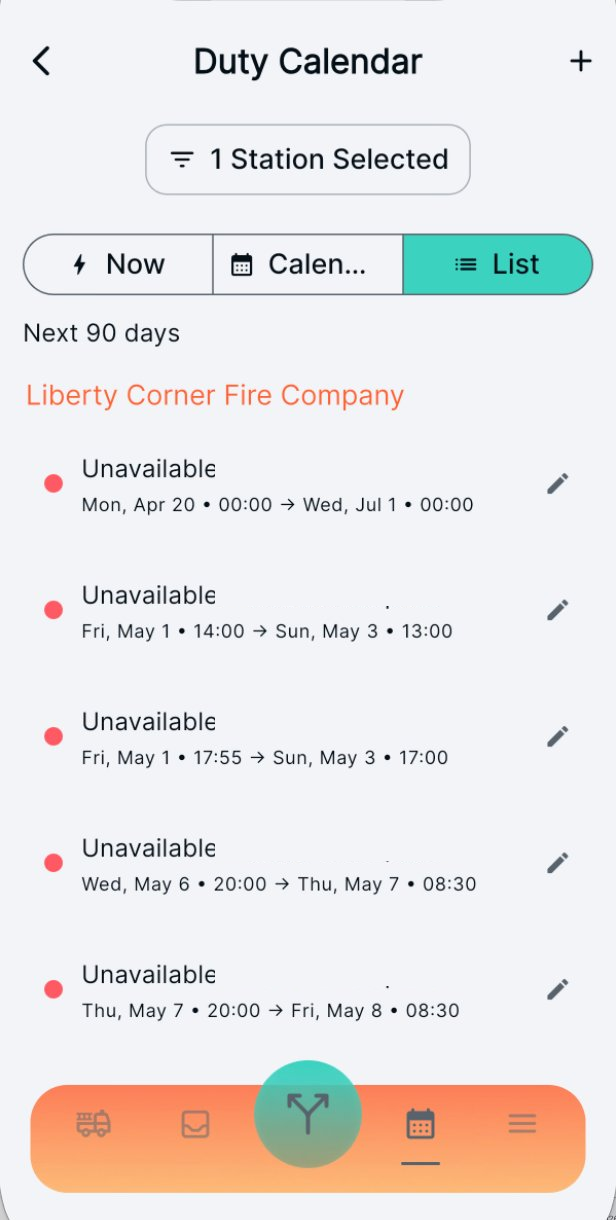
List
Review upcoming blocks in a linear list across the stations available to your account.
Create a duty block
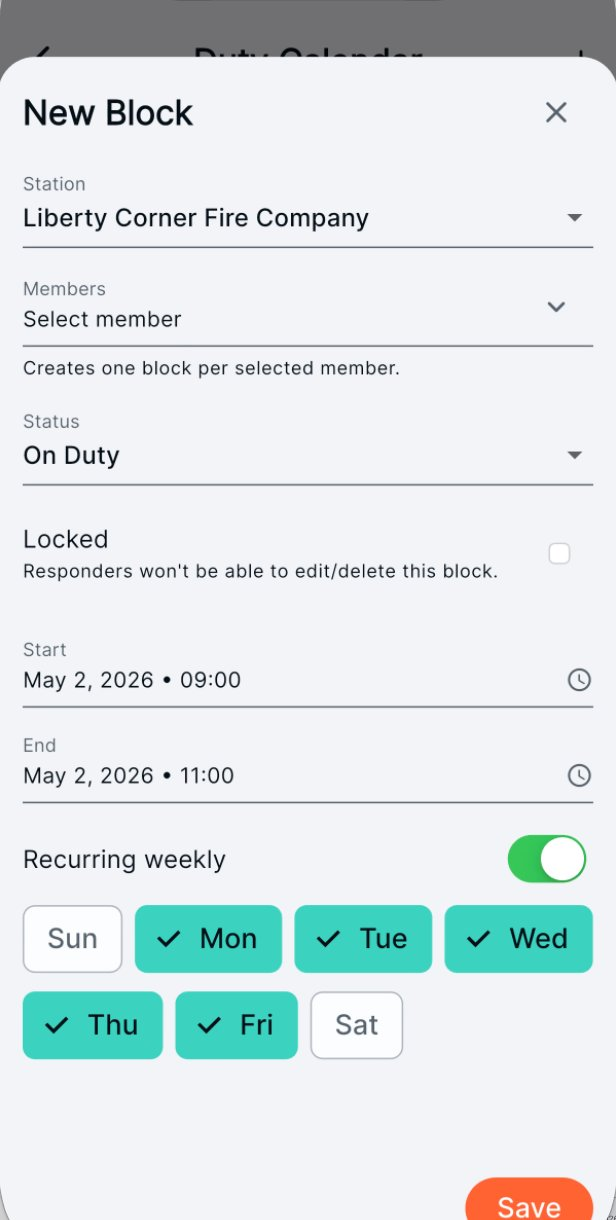
Use the add control to create a block. Available fields include:
- Station and members
- Status: On Duty, Off Duty, or Unavailable
- Locked: prevents member editing when managed by an authorized officer
- Start and end time
- Weekly recurrence and selected days
Editing and lock controls depend on your station permissions.
Find department events
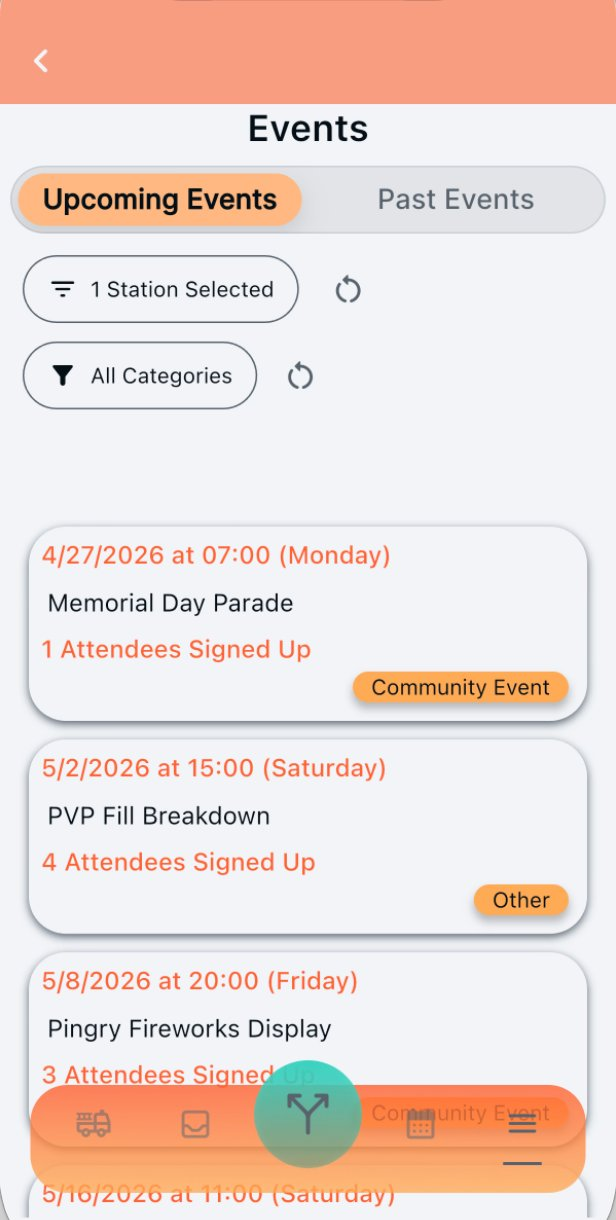
Upcoming and Past tabs separate future activities from event history. Each card can show the date, time, name, category, and attendance count.
Use station and category filters to narrow the list.
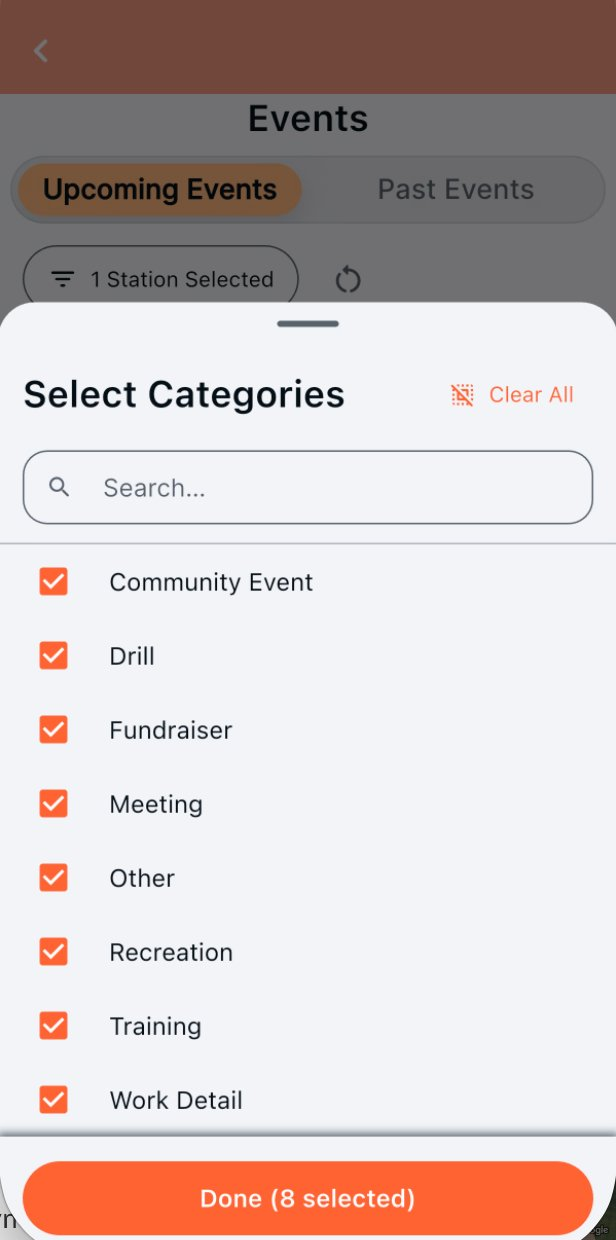
Filter by category
Event categories are department-specific. Select one or more categories to focus the list on the activities you need.
Use event actions
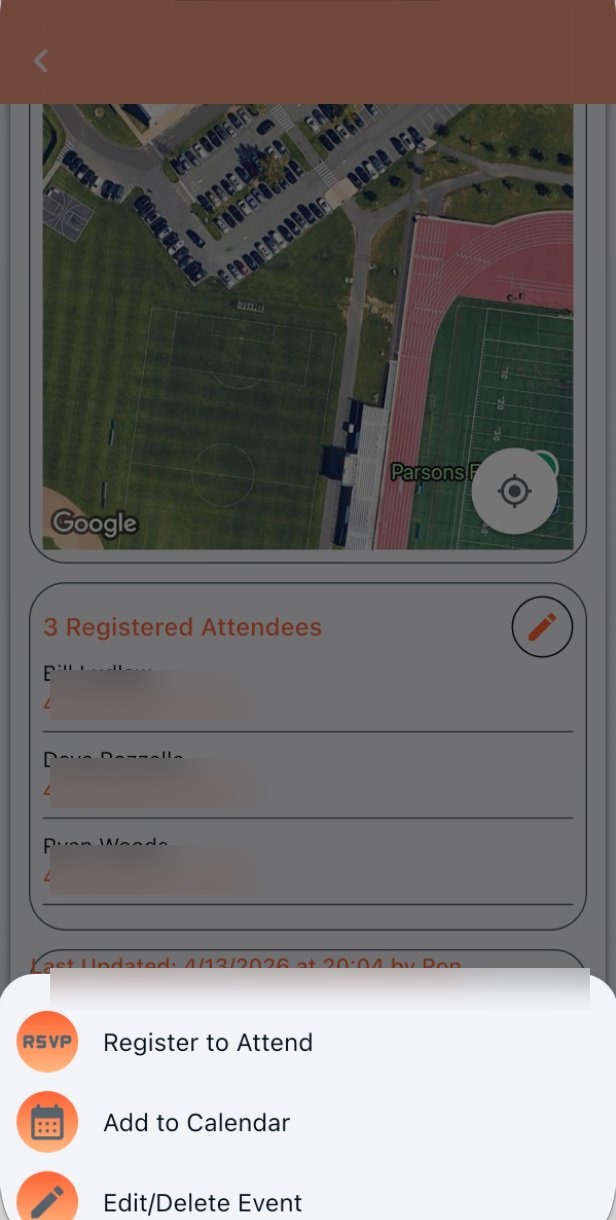
- Register to Attend: add your RSVP.
- Add to Calendar: send the event to the device calendar.
- Edit or delete: shown when your station permissions allow event administration.
Review and manage attendance
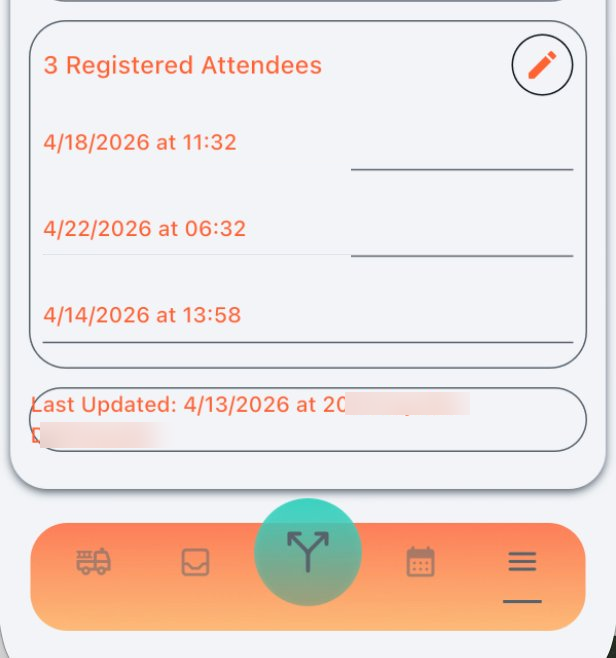
The event records registered members and relevant timestamps. Audit information identifies when the event was last updated.
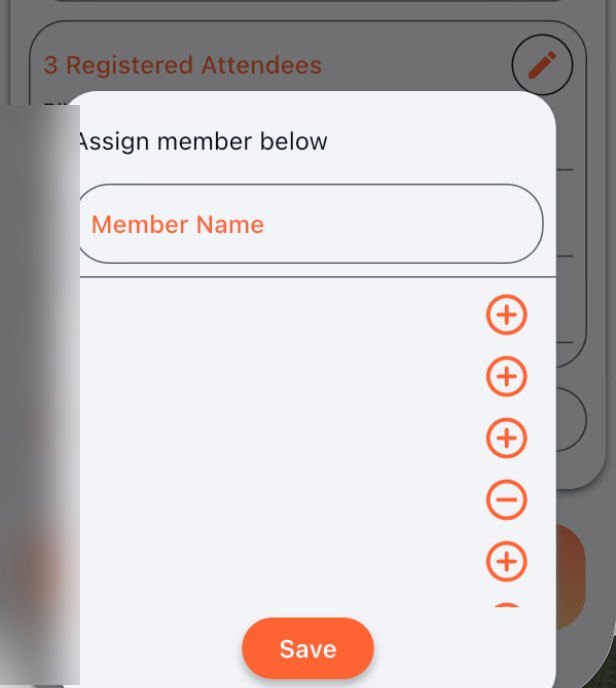
Authorized event administrators can manually add or remove members, including people who cannot register themselves or corrections made after the event.