
Command Bridge keeps tactical information close to the incident. Available resources depend on your department's configuration and your station permissions.
Open incident resources
From Incident Details, use Preplans and Files to open documents and resources associated with the incident location. The incident map can show configured operational layers.
Review available layers
- Preplans: building layouts, hazards, utility shutoffs, and contact information.
- Hydrants: nearby hydrants with available flow and distance information.
- Knox boxes and access points: configured entry information.
- Apparatus or responder information: available only when enabled and authorized by the department, with member consent where required.
- Resource files: checklists, SOPs, run cards, and station references.
Use the Files library
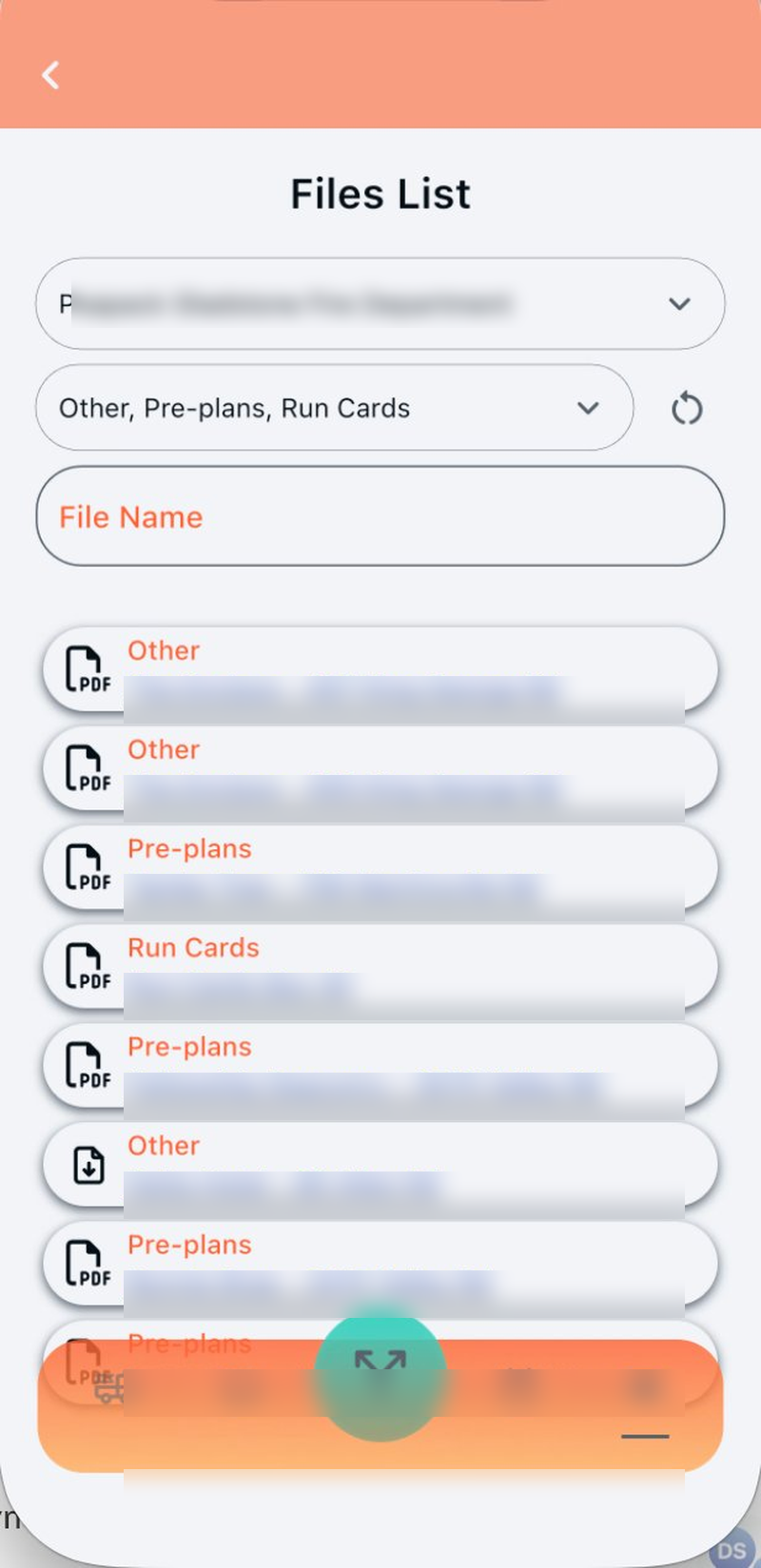
Open Files under Resources to browse documents on or off an incident.
- Department: switch among departments available to your account.
- Categories: filter by Pre-plans, Run Cards, Other, or configured categories.
- File Name: search for a specific document.
Tap a result to open the linked file. Visibility and upload controls follow station permissions.
Keep operational information current
If a preplan, access point, or file is outdated, notify the person who manages resources for your department so the next crew receives accurate information.